
Tips To Get The Best Photos Of Your Engagement Ring
How To Get The Best Photos Of Your Engagement Ring
(On Your Phone...)
Contents
- iPhone & Samsung Settings
- Pro Tips From Our Photographer
- Trending Photos For Inspiration
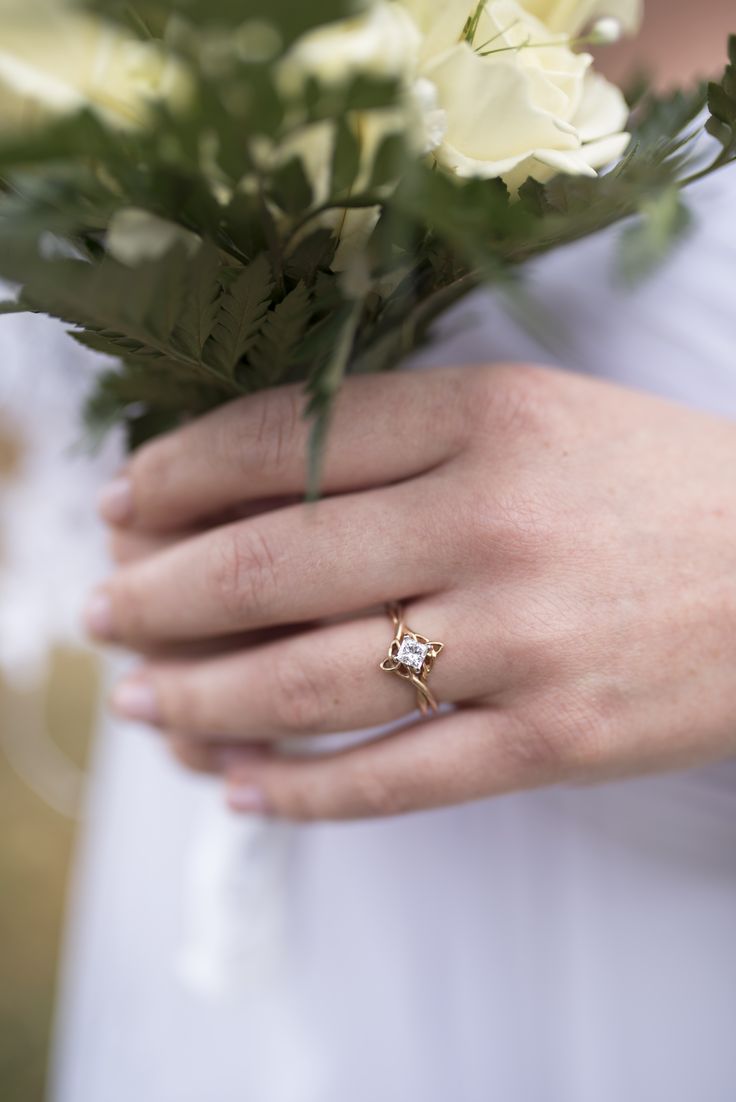
Quick Tips & Tricks
- Angle your hand to catch the sunlight
- Be mindful of shadows and shaded areas
- Be sure that focus is locked on your ring
- Always, always take multiple photos
- Make sure your camera lense as well as your ring is clean
- Natural sunlight will bring a better on-camera sparkle from your stone
- Do not use flash :{
1. Setting the Stage: Create the Perfect Background
Just like any work of art, your engagement ring deserves a stunning backdrop. Use nature to your advantage. If you're inside ~ soft, neutral colors or luxurious fabrics like satin or velvet can enhance the brilliance of the ring without overpowering it.
2. Lighting Magic: Illuminate the Sparkle
Lighting is the key to capturing the true beauty of your ring on camera. Natural light is your best friend when it comes to photography. Position your ring near a window or go outside to take advantage of the sun's warm glow. Avoid harsh overhead lighting or direct sunlight, as they can create unwanted shadows and reflections.
3. Focusing on the Details: Macro Photography Techniques
To truly showcase the intricate details of your ring and the cut of your stone. Consider using a macro setting on your camera. This will allow you to capture the smallest elements, such as the facets of the diamond or the intricate design of the band, with clarity and precision. Get up close and personal to reveal the beauty & craftsmanship of your ring. This is especially important if you want to capture the intricate knotwork of a Celtic band, such as our Josephine's Knot Ring.
4. Angles & Perspectives: Finding the Perfect Shot
Experiment with different angles and perspectives to discover the most flattering way to photograph your ring. Try shooting from above to highlight the overall design, or get down to eye level for a more intimate view. Don't be afraid to get creative and explore different angles that showcase the ring in a new light.
5. Edit with Care: Enhancing the Beauty
After capturing the perfect shot, take the time to edit your photos with care. Use the editing tools provided on your phone for a quick and easy boost to enhance the colors & sharpen the details. Or you can go the extra mile and use a dedicated editing software if you need to erase issues in the background or imperfections. We would recommend popular editing apps such as: Adobe Photoshop, Adobe Photoshop Lightroom, Snapseed, and VSCO. Remember, the goal is to highlight the natural beauty of your ring, so keep the edits subtle and elegant.
Photo Inspiration
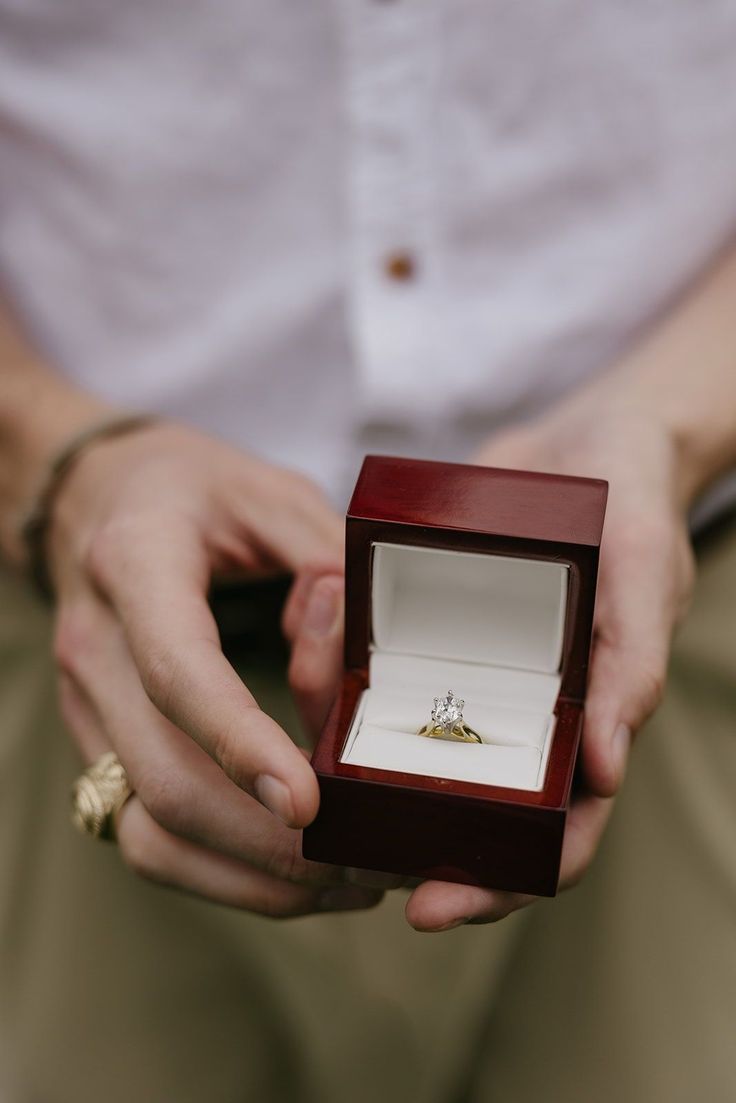
~Straight From The Source~

~The Close Up~

~Scenery~

~I Said Yes~

~In the Moment~
Here are some examples of how we captured and edited photos of engagement rings on our Samsung phone simply using the editing tools provided in the photos app.
Samsung Camera Settings
*Taken In Diffused Sunlight From Our South-East Facing Window
*Taken On A Samsung Galaxy S22+
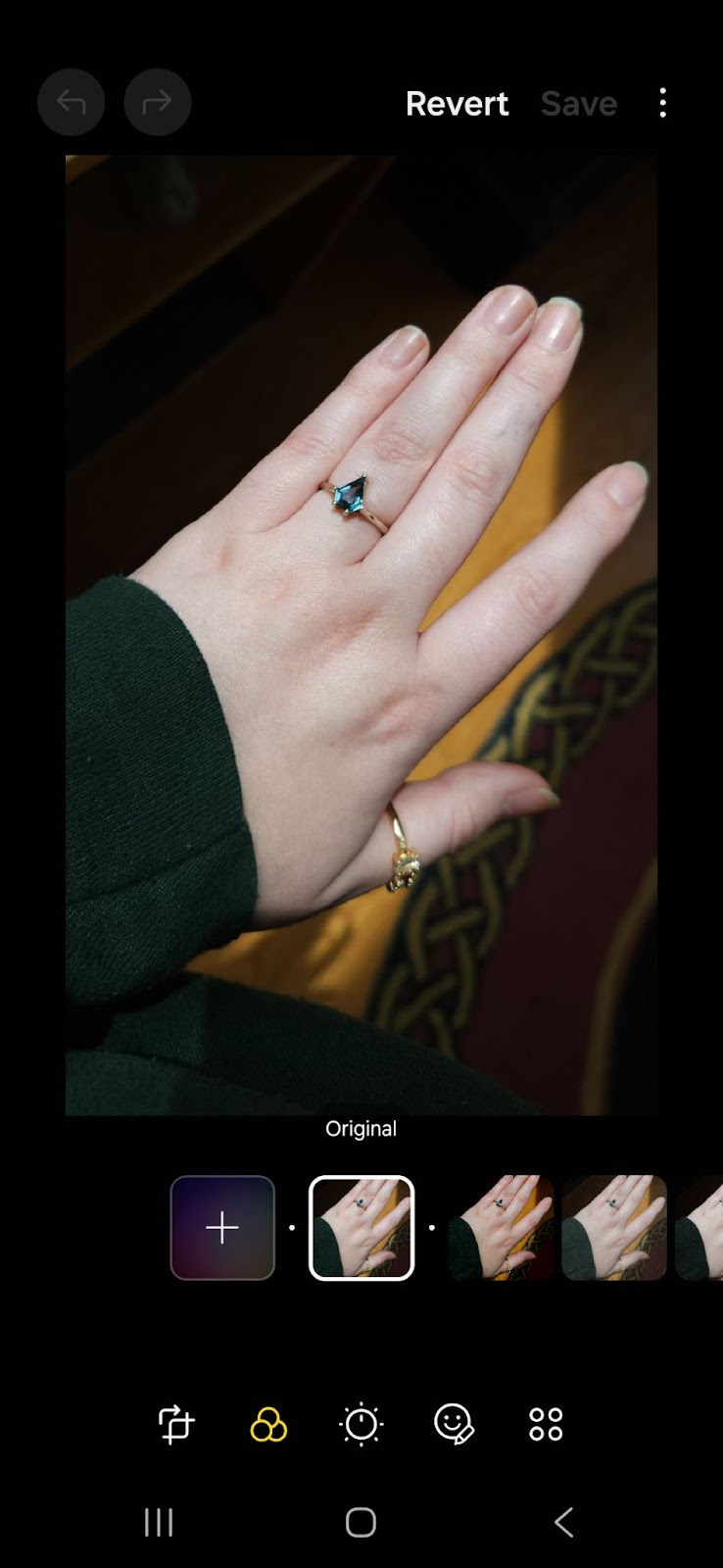
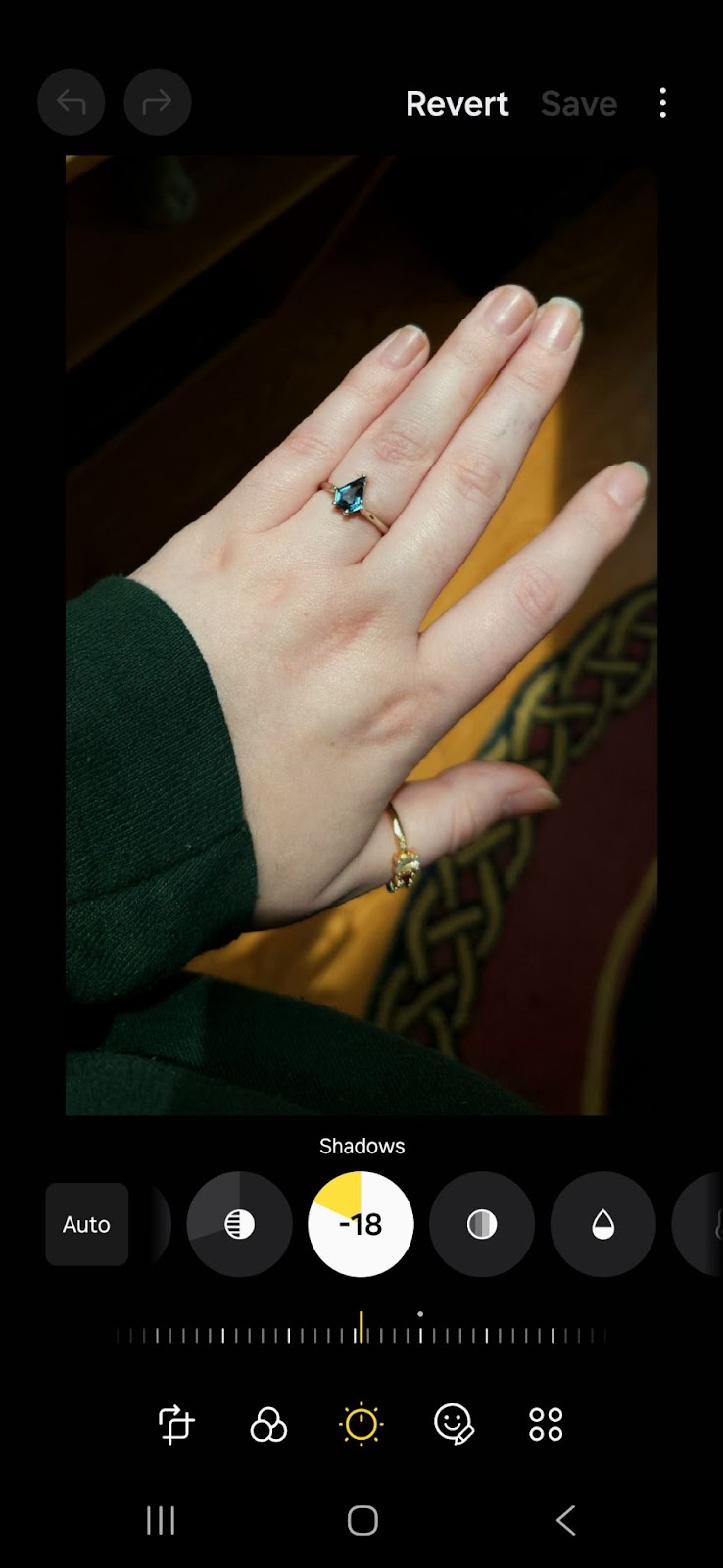
Before After
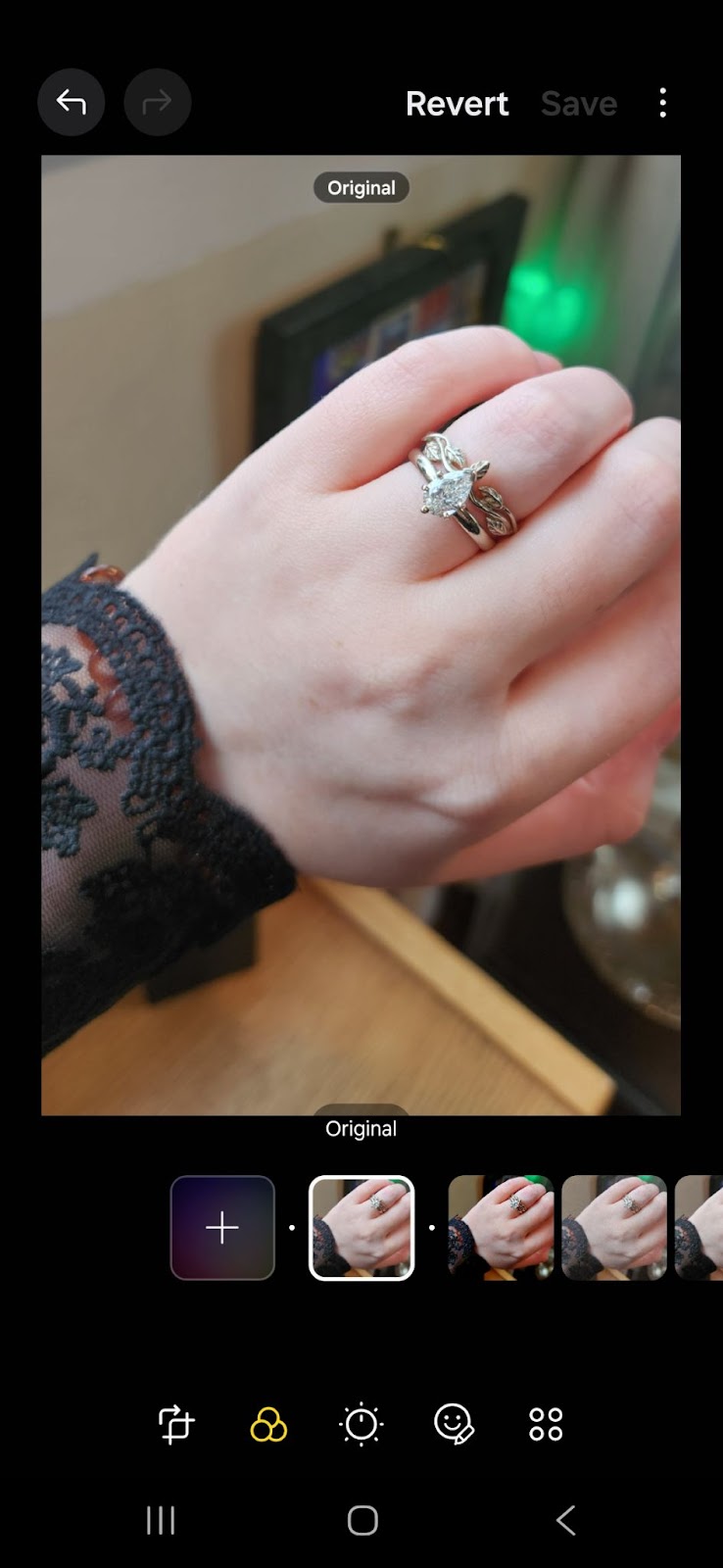
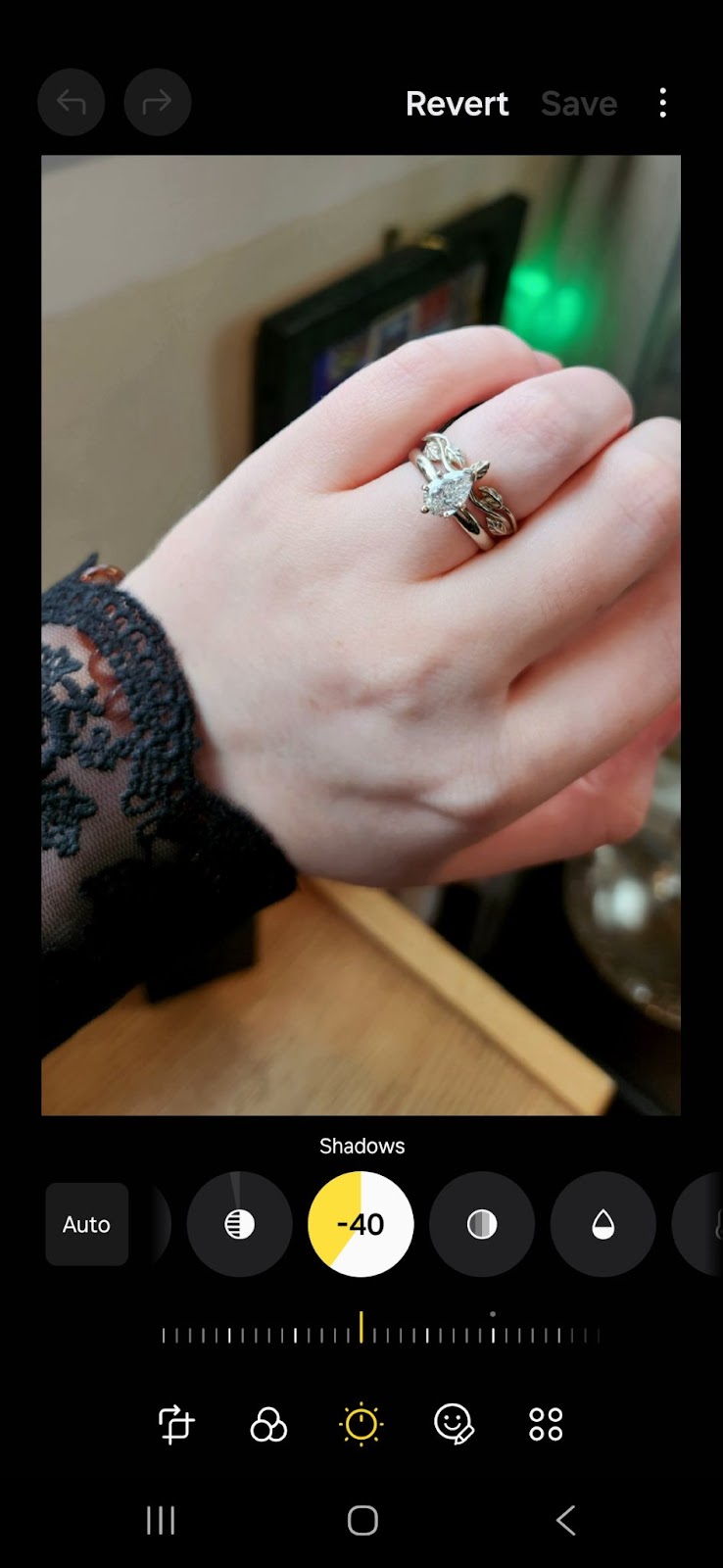
Before After
These settings are meant specifically to accentuate your ring
Samsung Settings
COLORED STONES
Light Balance: +10
Brightness: -10
Exposure: +16
Contrast: 0
Highlights: -30
Shadows: -18
Saturation: 0
Tint: 0
Temp: +30
Sharpness: +4
Definition: -6
DIAMONDS
Light Balance: -6
Brightness: +13
Exposure: -16
Contrast: 0
Highlights: -3
Shadows: -40
Saturation: 0
Tint: 0
Temp: +0
Sharpness: +4
Definition: -3
Please do experiment with your own settings if these ones do not work for you. If you do end up using any of the tips and tricks we provided, send us some photos! We would love to see how they turned out. Congratulations on your upcoming nuptials! We wish you & yours the best!
Here are some examples of how we captured and edited photos of engagement rings on our iPhone simply using the editing tools provided in the photos app.
iPhone Camera Settings
*Taken In Diffused Sunlight From Our South-East Facing Window
*Taken On An iPhone 14 Plus
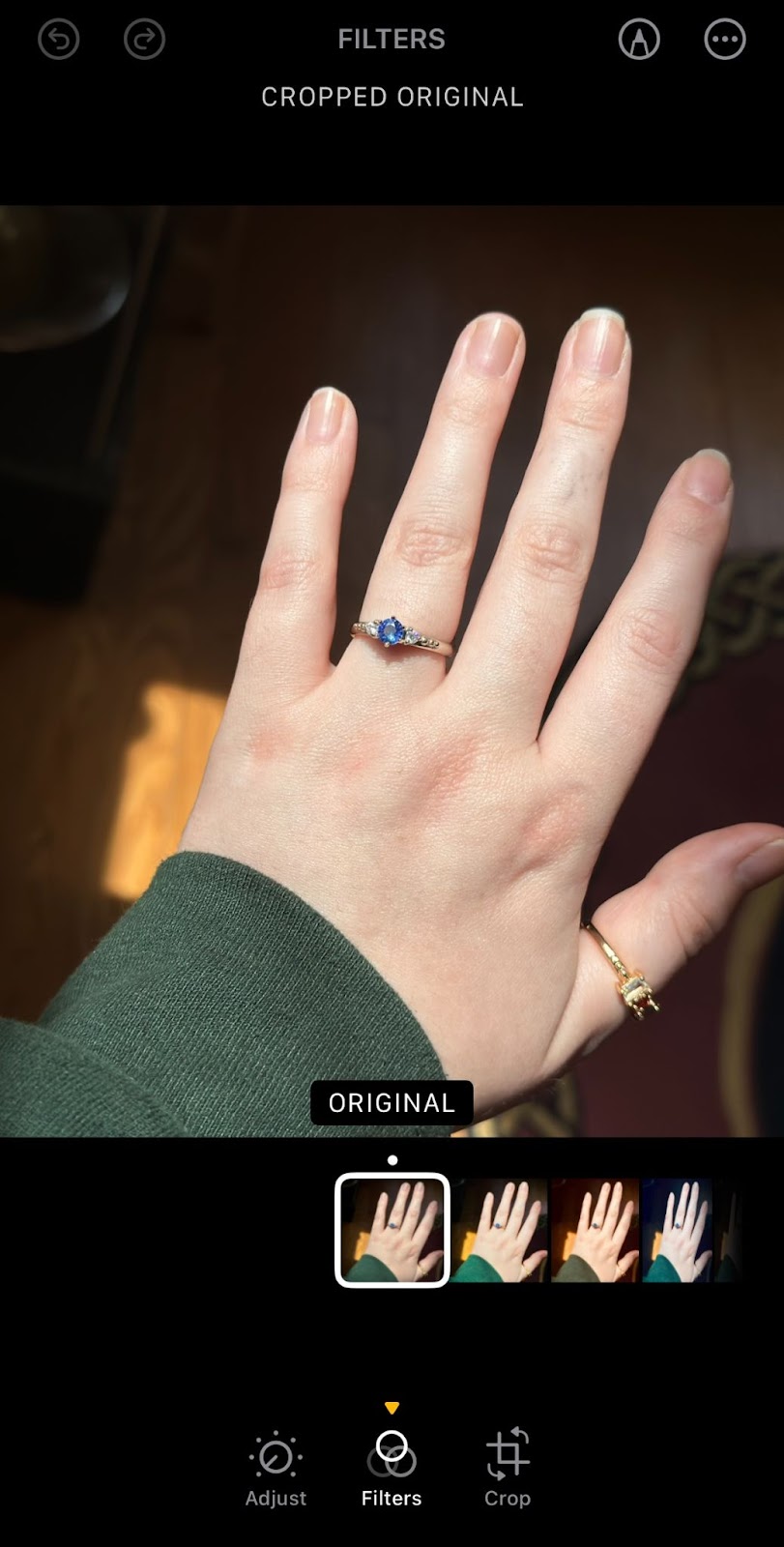
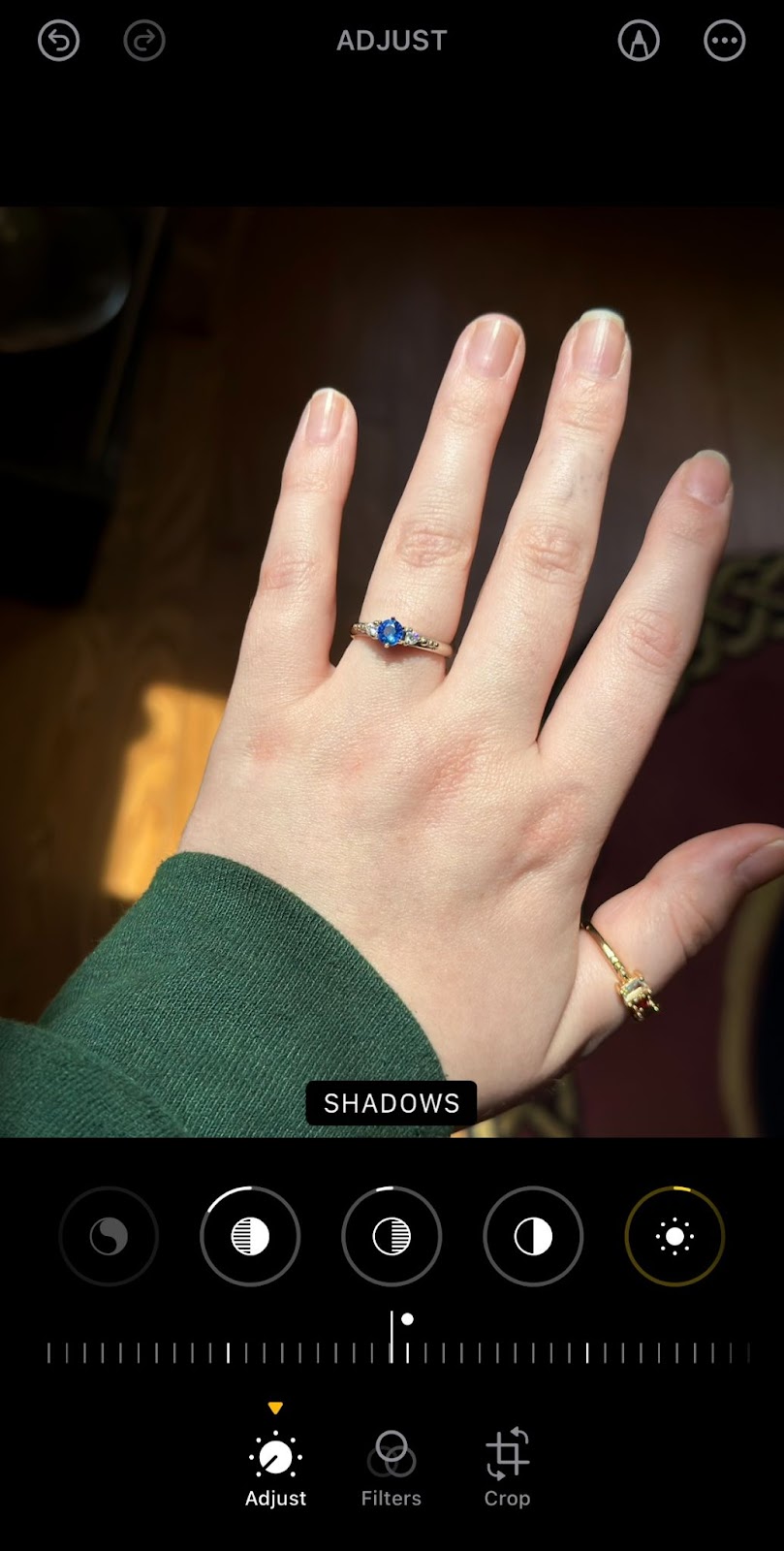
Before After
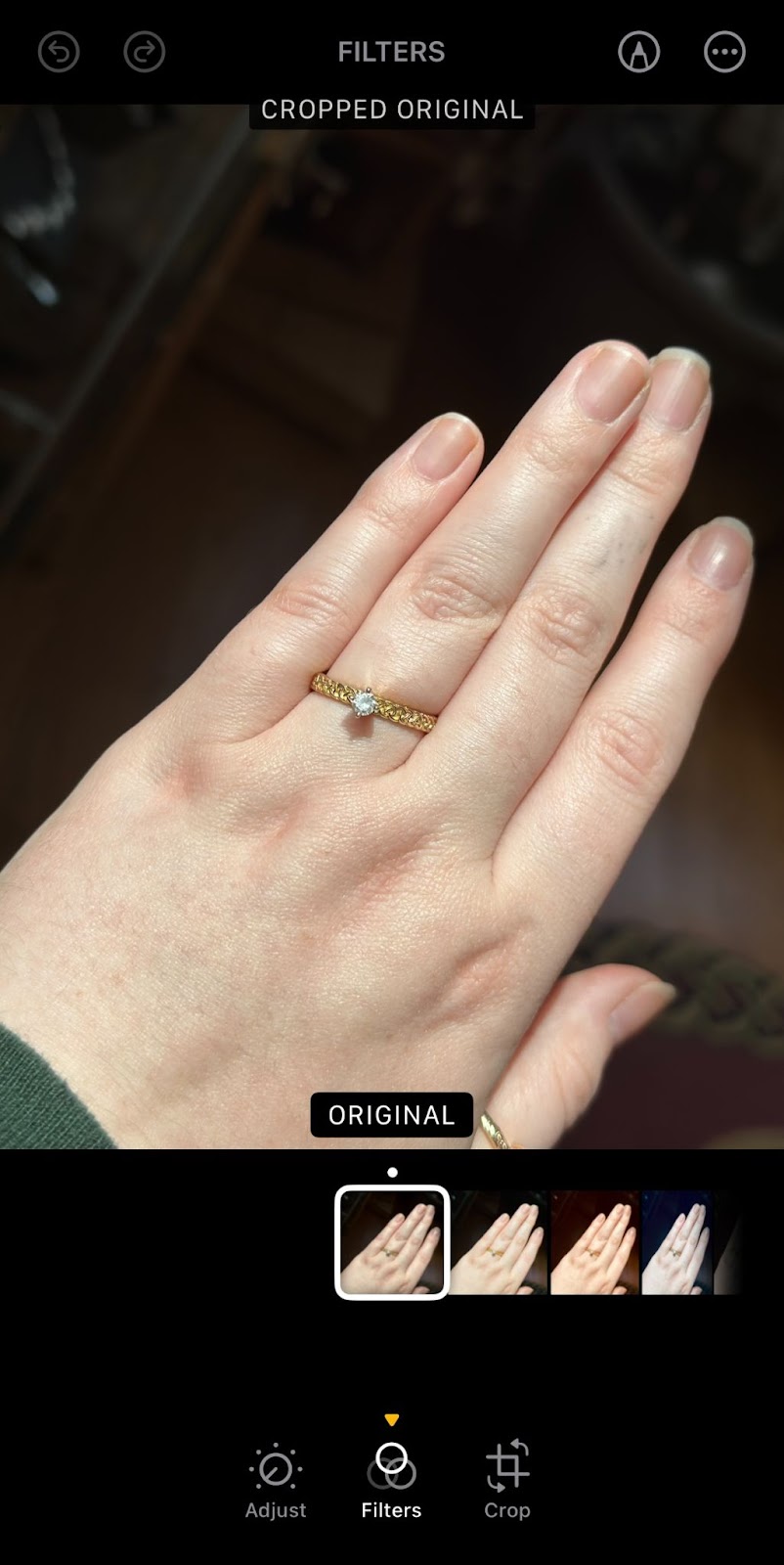
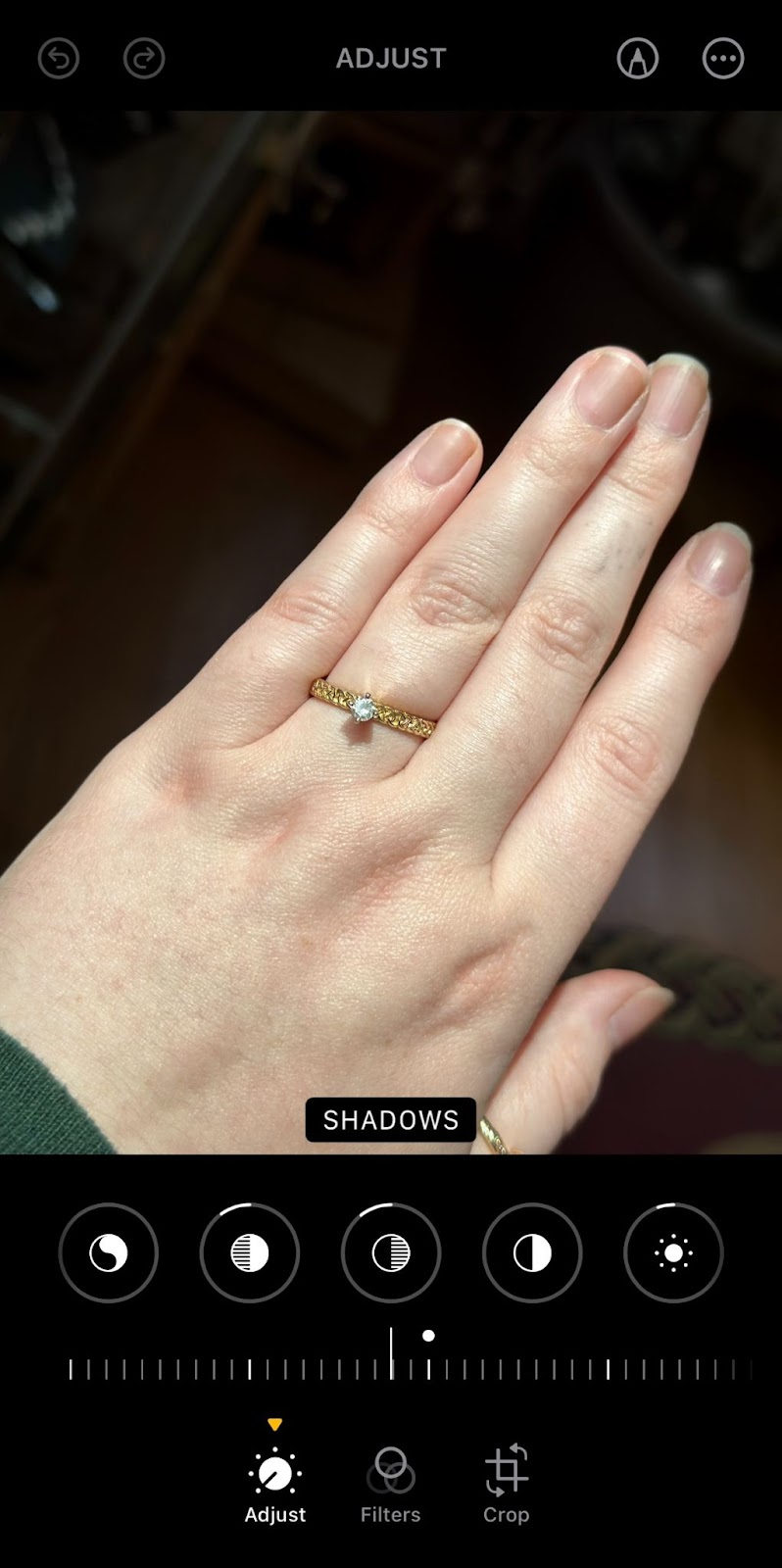

Before After
These settings are meant specifically to accentuate your ring
iPhone Settings
COLORED STONES
Exposure: -2
Brilliance: 0
Highlights: -16
Shadows: -5
Contrast: 0
Brightness: +5
Black Point: +5
Saturation: 0
Vibrance: +30
Warmth: -10
Tint: -6
Sharpness: +10
Definition: +8
Noise Reduct: +6
Vignette: +7
DIAMONDS
Exposure: +4
Brilliance: 0
Highlights: -10
Shadows: -11
Contrast: 0
Brightness: -5
Black Point: +5
Saturation: -3
Vibrance: +10
Warmth: -8
Tint: -3
Sharpness: +3
Definition: +7
Noise Reduct: +11
Vignette: +5
Need Help with Ring Sizing?
Before you order your perfect engagement ring, make sure you have the right size:
- How do I find my ring size? - Step-by-step guide to measuring your finger
- How To Find Her Ring Size (without ruining the surprise) - Sneaky tips for a proposal
- Ring Size Conversion Chart - International size equivalents
- Ring Sizing Chart - Complete sizing reference
More for Your Engagement & Wedding
- Celtic Engagement Rings — Browse our handcrafted collection
- Wedding Ring Sets — Matched engagement and wedding band sets
- Celtic Wedding History & Traditions — The heritage behind Celtic wedding customs
- Engagement Ring Alternatives — When she doesn't want a diamond
- How to Care for Your Jewelry — Keep your ring looking its best

About the Author
Stephen Walker has been handcrafting Celtic jewelry in Andover, NY since 1984, including custom engagement rings and wedding bands featuring intricate knotwork designs carved by hand using the lost wax casting process.
Looking for the Perfect Engagement Ring?
If you are still searching for that perfect engagement ring for your partner, look no further. Check out our collection of handcrafted Engagement Rings!
Shop Engagement RingsQuestions? Call us: (800) 488-6347
Leave a comment